XFlight AI / Free Tools / Windows x64
XFlight NavCue Freeware
No moving map. Fly the plan.
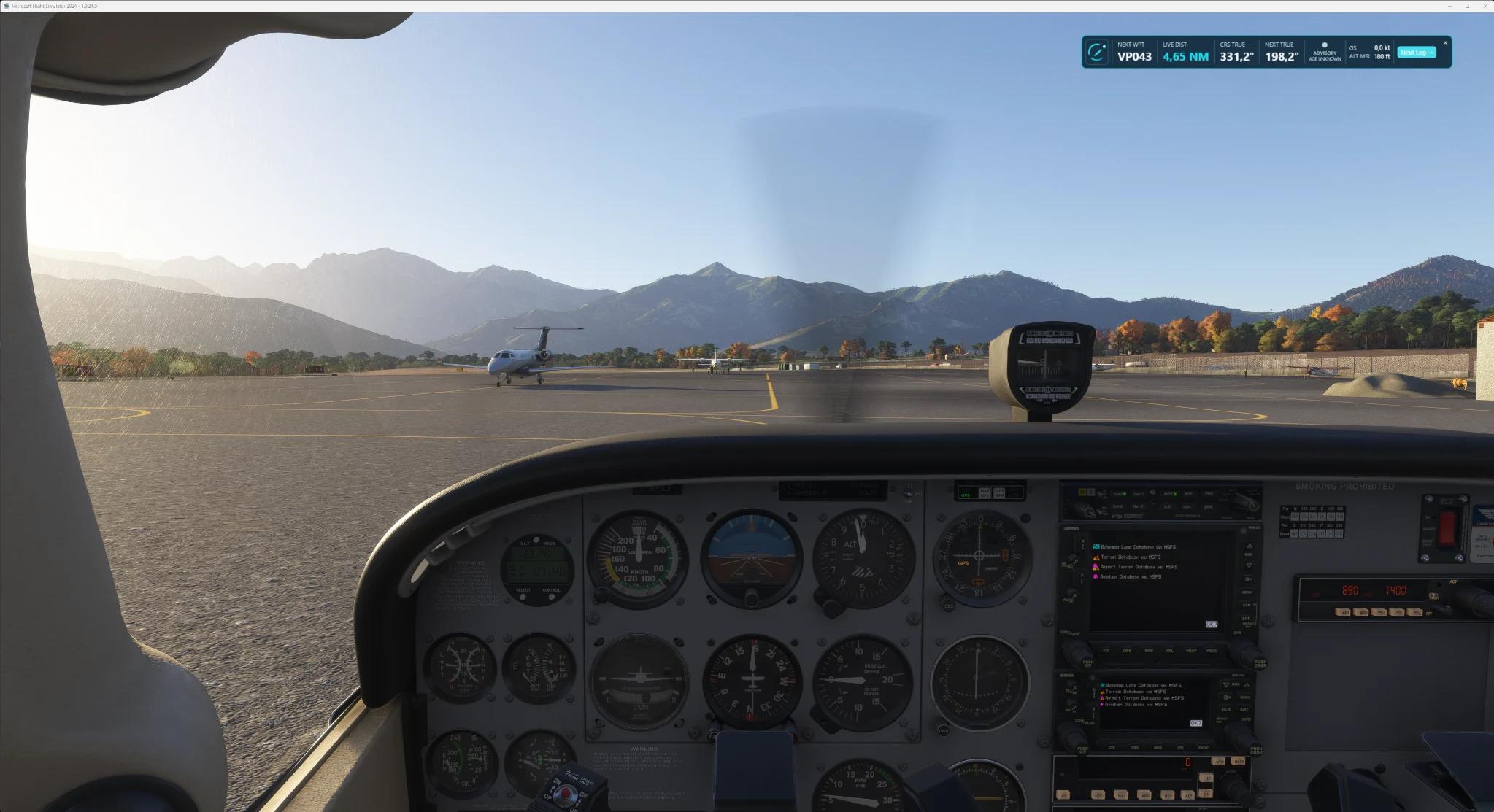
A compact Windows companion for VFR flying in Microsoft Flight Simulator 2024. Open a simulator .pln file to review the flight plan offline. When MSFS 2024 and FSUIPC7 are running, NavCue shows advisory distance, planned true courses, groundspeed and altitude in a small Flight Strip.
What you can do
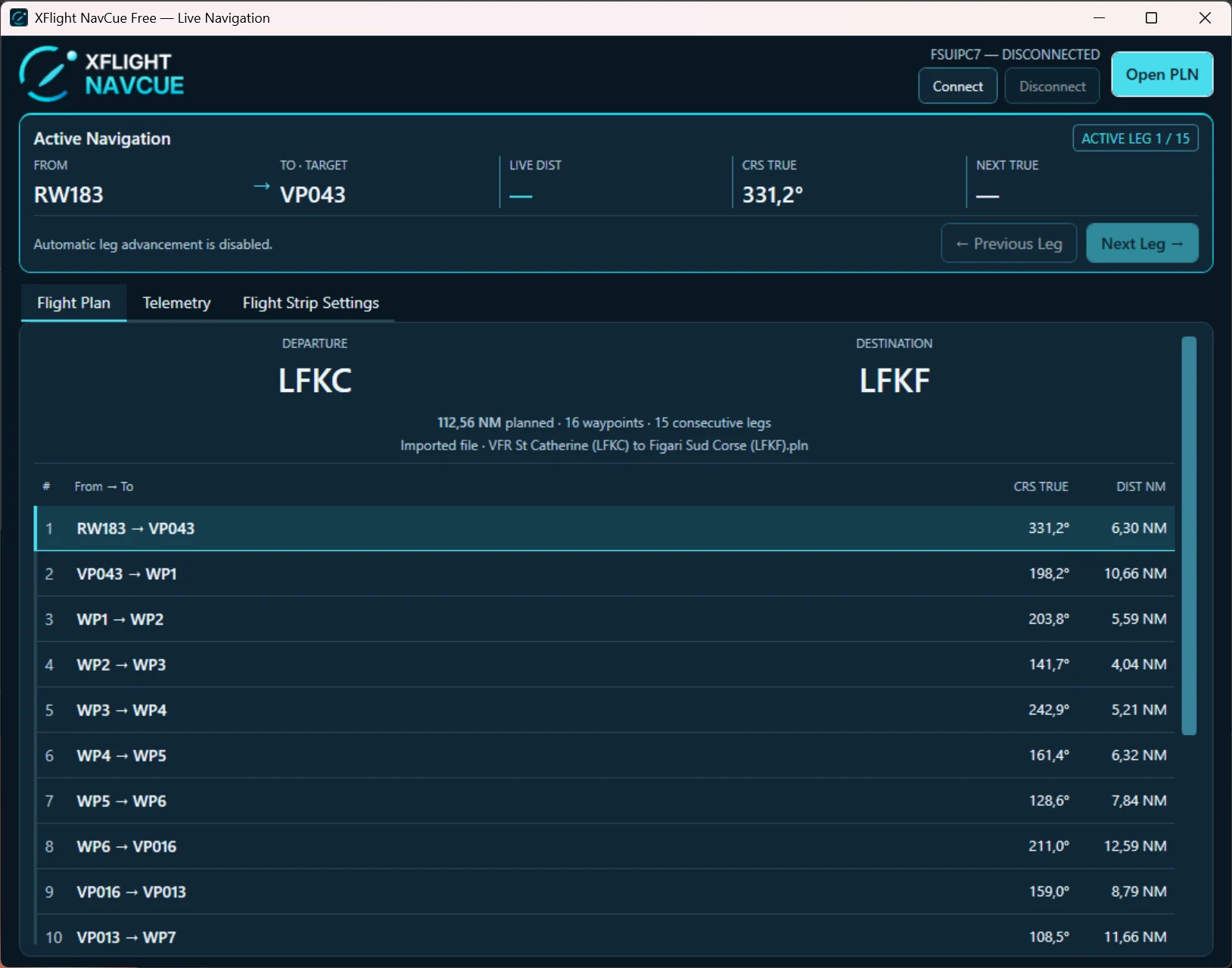
- Preview an MSFS .pln route with airports, waypoints, legs and planned distances, even with the simulator closed.
- Switch between Flight Plan, Telemetry and Flight Strip Settings while keeping Active Navigation visible.
- Display Compact or Ultra Minimal Flight Strip layouts with adjustable background opacity and scale.
- Choose the current leg manually; automatic waypoint advancement is not included.
Requirements
- Windows x64 and Microsoft .NET 10 Desktop Runtime x64.
- For offline PLN preview, MSFS and FSUIPC7 do not need to be running or installed.
- For live advisory information, install MSFS 2024 and FSUIPC7 separately. FSUIPC7 local IPC can be used without paid registration.
- The Microsoft Flight Simulator SDK is not required.
How it works
- Install and open XFlight NavCue from the Windows Start menu.
- Select Open PLN, then choose a local .pln flight plan.
- Review the planned route offline. For live use, launch MSFS 2024 and FSUIPC7, then select Connect.
- Show the Flight Strip and use manual Next / Previous Leg controls as needed.
Advisory information only
FSUIPC7 ADVISORY — SOURCE AGE UNKNOWN. NavCue cannot verify the age of the upstream telemetry or that all fields represent the same instant. It is a simulation aid, not a moving map, autopilot or real-world navigation system.
Download and integrity
Download the installer or the portable ZIP. Both files were checked against their SHA-256 hashes after download from the official XFlight AI storage. This release is unsigned, so Windows may display an unknown-publisher warning. Do not disable antivirus protection or SmartScreen.
Windows x64 · .NET 10 Desktop Runtime required · MSFS 2024 and FSUIPC7 required only for live advisory use.
Installer SHA-256: 341994C528B6947FA9DA9AA9A2AB505C287AD1047546C0BE692B7B8FBDA96606
ZIP SHA-256: 05AD0AC888AE8C301B739A6E084C90135219B504CDD780C43384C1A5CA0EA4AD
For flight simulation only. Not intended for real-world flight planning or navigation.
Explore other XFlight free tools